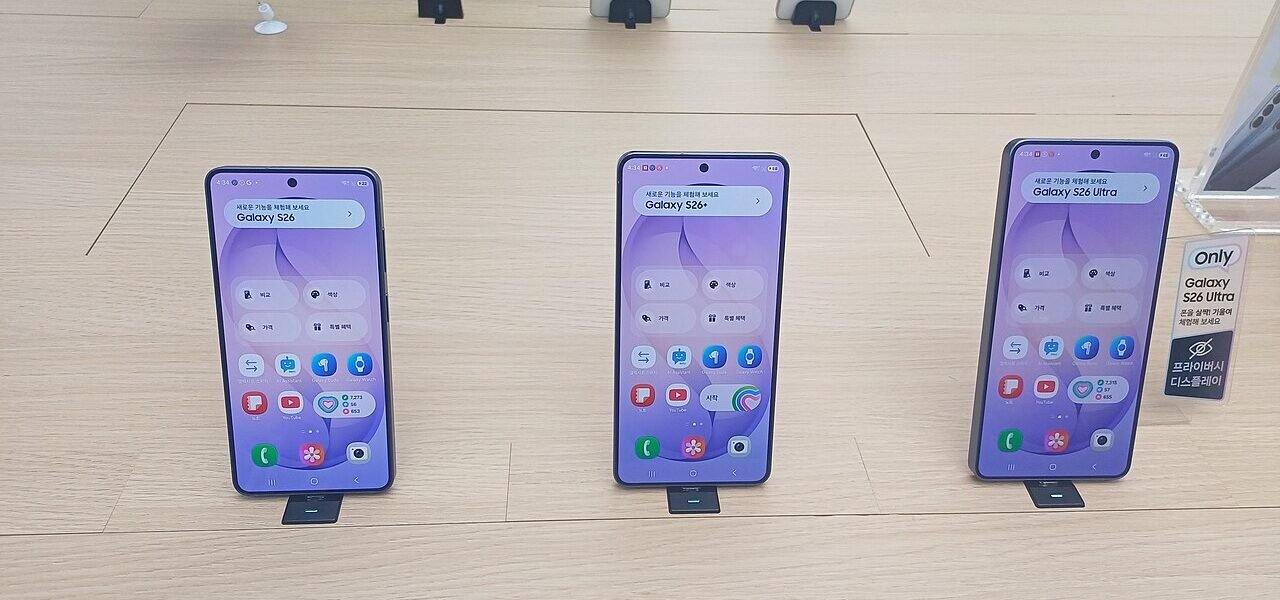

One UI 9 features are now available on the Galaxy S26, introducing innovative Galaxy AI tools and enhanced Now Brief functionalities. This update promises to elevate user experience significantly.
Overview of One UI 9
One UI 9 has officially made its debut on the Galaxy S26, introducing a host of exciting new features that enhance the user experience. This latest iteration focuses on improving accessibility and productivity through innovative AI tools. With the integration of advanced machine learning algorithms, One UI 9 offers smarter suggestions and personalized settings tailored to individual user habits.
Among the most notable enhancements are the expanded Now Brief tools, which allow users to access essential information at a glance. These tools utilize AI to curate content based on user preferences, making it easier to stay updated on relevant news and reminders.
Furthermore, One UI 9 emphasizes seamless multitasking capabilities, encouraging users to maximize their device’s potential. From intuitive app switching to enhanced split-screen functionalities, the latest update is designed to meet the demands of modern smartphone users.
Overall, One UI 9 features a blend of aesthetic improvements and practical tools, ensuring a more intuitive and efficient experience for Galaxy device owners.
Key Galaxy AI Features
The latest iteration of Samsung’s software, One UI 9, introduces an impressive array of Galaxy AI features designed to enhance user experience and streamline daily interactions. These advancements are tailored to leverage artificial intelligence, making tasks more intuitive and efficient.
Notable features include:
- Smart Suggestions: One UI 9 analyzes user behavior to provide personalized recommendations for apps and settings, helping users stay organized and productive.
- Contextual Adaptation: The interface dynamically adjusts based on the user’s location or activity, ensuring relevant information is always at hand.
- Enhanced Voice Commands: Improved voice recognition capabilities allow for more accurate and responsive interactions with the device, facilitating hands-free control.
- Photo Enhancements: AI-driven editing tools automatically optimize images, making it easier to capture stunning photos with minimal effort.
These Galaxy AI features in One UI 9 promise to transform the way users interact with their devices, making technology more accessible and enjoyable.
What’s New in Now Brief
One UI 9 introduces several exciting features, particularly in its Now Brief tools, enhancing the overall user experience on the Galaxy S26. These updates aim to streamline information access and improve interaction with the device.
The Now Brief interface has been revamped to offer:
- Personalized Widgets: Users can now customize widgets to display the most relevant information, such as weather updates, calendar events, and news highlights.
- Enhanced AI Suggestions: Leveraging advanced AI, One UI 9 can predict user needs and suggest actions based on previous behavior, making daily tasks more efficient.
- Quick Access Features: The layout now allows for faster access to frequently used apps and services, reducing the time spent navigating through menus.
With these updates, One UI 9 features not only enhance functionality but also ensure that users have a more intuitive experience with their Galaxy devices.
User Reactions to the Update
As One UI 9 rolls out to Galaxy S26 users, reactions have been overwhelmingly positive, especially regarding the new Galaxy AI features. Many users have taken to social media to share their experiences, highlighting the enhanced functionality and improved user interface.
One user expressed excitement over the updated Now Brief tools, stating, “The new features in One UI 9 make it so much easier to access relevant information quickly.” Another praised the AI capabilities, noting how they streamline daily tasks and improve overall device performance.
In addition to individual feedback, tech reviewers have also provided insights into the update. A popular tech blog mentioned, “One UI 9 features offer a significant leap in usability, making the Galaxy S26 a standout device in the market.”
As users continue to explore the range of enhancements, the anticipation for further updates grows. The integration of Galaxy AI tools has not only impressed existing users but has also drawn attention from potential buyers looking for a device that enhances their daily lives.
How to Update Your Galaxy S26
Updating your Galaxy S26 to the latest One UI 9 features is a straightforward process that ensures you benefit from the newest enhancements and tools. Follow these easy steps to get started:
- Connect to Wi-Fi: Ensure your device is connected to a stable Wi-Fi network to avoid interruptions during the update.
- Check for Updates: Open the Settings app, scroll down, and tap on Software update. Select Download and install to see if the One UI 9 update is available.
- Follow Prompts: If an update is available, follow the on-screen instructions to download and install it. Make sure your device is charged or connected to a power source.
- Restart Your Phone: After the installation is complete, your Galaxy S26 will automatically restart to apply the new One UI 9 features.
Enjoy exploring the new Galaxy AI tools and expanded Now Brief capabilities that come with this update!
Future Updates and Expectations
As Samsung continues to roll out One UI 9 features, users are eager to learn about future updates and what they can expect from upcoming versions. With the successful launch of One UI 9 on the Galaxy S26, the company is likely to focus on enhancing existing features while introducing new AI tools to improve user experience.
Samsung has a history of incorporating user feedback into their updates, which suggests that future iterations of One UI 9 may address any concerns raised by users. Anticipated improvements might include:
- Enhanced customization options for personalizing device interfaces
- More efficient AI assistants capable of learning user habits for better performance
- Expanded connectivity features with other smart devices in the home ecosystem
- Improved battery management utilizing AI to optimize usage
As Samsung aims to stay ahead in the competitive smartphone market, users can look forward to a more intuitive and powerful One UI experience in the future.
Among the standout enhancements, the One UI 9 features introduce smarter AI tools that streamline user interactions. Additionally, these One UI 9 features are designed to optimize battery life and improve overall device performance.
via Wikimedia Commons
References